7 AI Agent Patterns for Software Engineers (With Practical Examples)
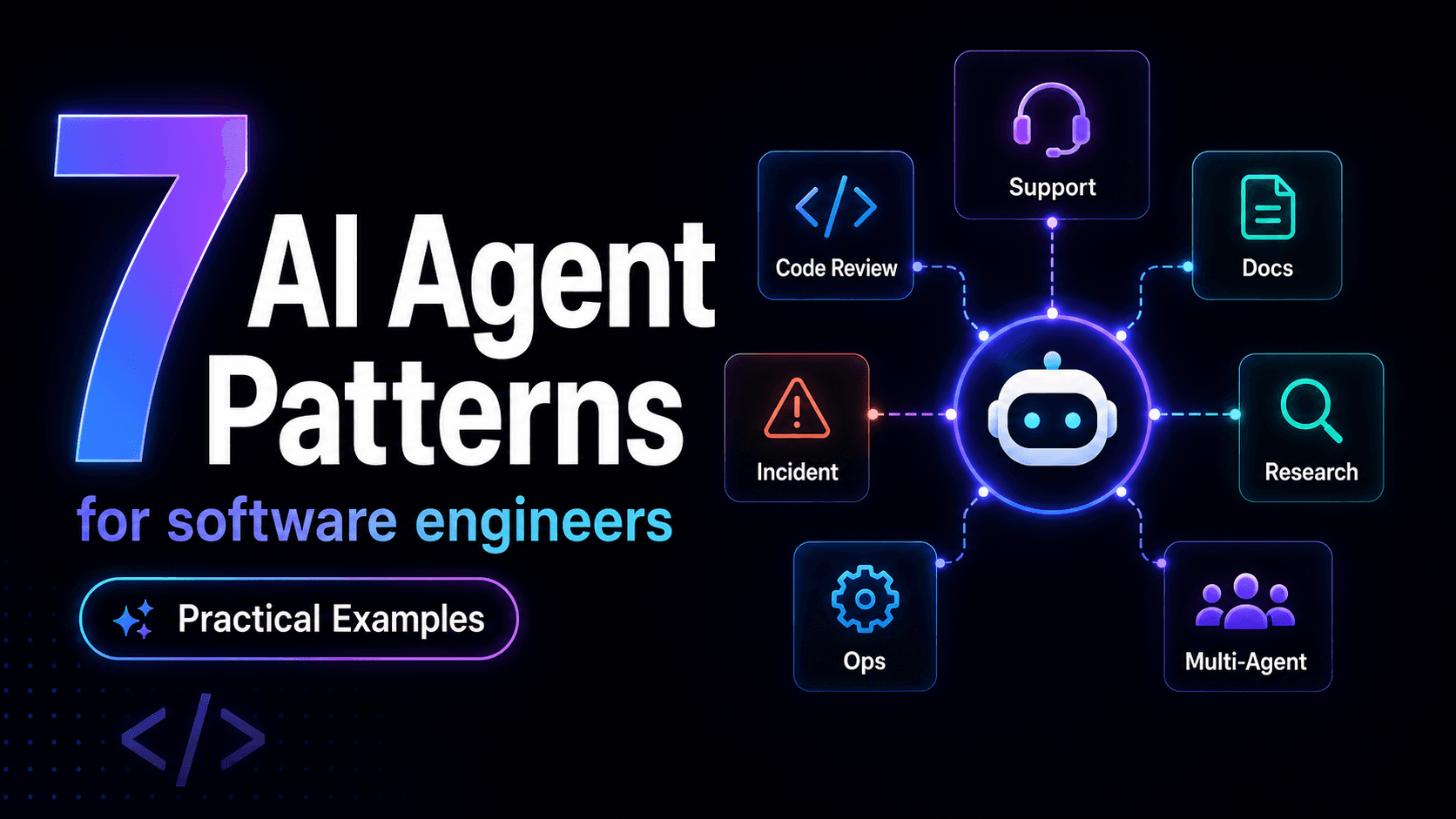
Seven practical AI agent patterns for software engineers, told through real product scenarios: support, code review, research, documentation, incidents, operations, and multi-agent work.
7 AI Agent Patterns for Software Engineers (With Practical Examples)
The first time an AI agent looks impressive is usually the moment it becomes dangerous.
It has read a ticket, found a few documents, called a tool, and returned an answer that sounds as if someone on the team spent an afternoon investigating. For a second, everyone in the room sees the future. Then someone asks the awkward question: what happens when it is wrong?
That question is where useful engineering begins.
The AI agent examples that make it into production are not usually grand, autonomous robots that run a company while everybody sleeps. They are smaller, more deliberate systems. They take a familiar piece of work, give it a narrow boundary, connect it to trustworthy tools, and leave a trail a human can understand. The result is less cinematic than the demo. It is also far more valuable.
This article walks through seven AI agent patterns that show up in real software teams. Think of them as stories from an engineering week: the ticket that arrived at the wrong time, the pull request nobody wanted to review, the incident channel moving too quickly, and the documentation page that quietly became untrue.
The agent that meets the support ticket before you do
It is Monday morning. A customer writes, “Our invoice failed, but the amount was deducted.” The message lands in a queue beside twenty other tickets. A human support engineer can eventually investigate it, but the first ten minutes are predictable: identify the account, find the transaction, check the payment provider event, look for known incidents, and decide whether the customer needs a refund, a retry, or a calm explanation.
This is a strong place to begin with AI agents.
A support-triage agent should not be given the power to invent a refund or send a message on its own. Its job is to prepare the ground. It reads the ticket, calls a customer lookup tool, checks the payment status, searches the internal incident feed, and returns a short brief. It can say: the charge is pending, the provider reported a timeout, the customer has not been charged twice, and this matches an issue opened forty minutes ago.
That is an AI agent pattern worth building because the outcome is visible and bounded. A person still owns the decision. The agent removes the repetitive search work that happens before the decision.
The important detail is the tool design. get_payment_status should return a stable state, not a paragraph of provider logs. find_customer should return the right customer or an explicit ambiguity. If a tool fails, the agent needs a useful message such as “payment provider event unavailable; retry after 60 seconds,” not a mysterious internal error. Reliability begins long before the model writes its first sentence.
The code-review agent that knows it is not the senior engineer
Every team has a pull request that looks harmless until it reaches production. A renamed field bypasses validation. A new API path forgets authorization. A query works against a local database and quietly turns into a slow full-table scan with real data.
An AI code-review agent is most helpful when it does not pretend to be the final reviewer. It is the colleague who arrives early, checks the obvious things patiently, and points to the places that deserve attention.
In this pattern, the agent receives a diff, the affected test results, and a small amount of repository context. It can trace whether a new endpoint follows the project’s authentication middleware. It can notice that an input schema changed but a client type did not. It can compare a migration against the code that reads from it. When it finds something, it should cite the file and explain why the change matters in plain language.
The best review comments are not generic. “Consider edge cases” is easy to generate and easy to ignore. “PATCH /users/:id now accepts role, but this route does not call requireAdmin; a regular user could change an account role” gives an engineer a real place to start.
This is one of the more familiar AI agent examples because it fits a workflow people already understand. The model does not need broad authority. It needs read access, a clear review rubric, and permission to leave suggestions. The merge button stays human.
The documentation agent that notices the page is lying
Documentation rarely breaks loudly. A release goes out. The API changed from status to state. The docs still show the old request. New customers copy it, get a confusing error, and support begins receiving tickets that should never have existed.
Now imagine a documentation agent watching a release in the same way a careful maintainer would. It compares changed API contracts with the relevant pages. It looks for renamed fields, changed defaults, removed endpoints, and examples that no longer compile. It does not rewrite half the documentation on a whim. It opens a small, reviewable patch with the evidence attached.
This pattern becomes especially effective when your documentation has a clean machine-readable form. A browser may need a fully designed HTML page. An agent often needs the same information as concise Markdown, without navigation menus, sidebars, promotional links, and unrelated calls to action. That is where content negotiation becomes practical: Accept: text/html for people, Accept: text/markdown for an agent that needs the facts.
The agent is not magical because it reads Markdown. It is useful because the interface removes ambiguity. Give it stable headings, direct examples, and a clear definition of what “out of date” means. The quality of the documentation workflow rises with the quality of the contract behind it.
The incident agent that turns noise into a timeline
During an incident, everyone is looking at a different window. One engineer has the dashboard. Another has logs. Someone else is scrolling through a deployment history while a support lead pastes customer reports into a chat channel. The team is working hard, but the narrative is scattered.
An incident-summary agent can bring order to that first chaotic hour.
It does not diagnose the outage from a single graph. Instead, it gathers time-stamped facts: the deploy started at 14:03, error rate rose at 14:08, the first customer report arrived at 14:11, and rollback began at 14:21. It separates evidence from inference. “Latency increased after the deploy” is a fact. “The deploy caused the latency increase” is a hypothesis until someone proves it.
That distinction is not a minor editorial choice. It is how you keep an agent from creating false confidence in the middle of an outage.
The strongest version of this pattern gives every claim a source reference and includes a short “unknowns” section. A human incident commander can scan the summary, ask a better next question, and make decisions without reconstructing the last thirty minutes from memory. After the incident, the same trace becomes the opening draft of a postmortem.
The research agent that knows when to stop searching
Research is another task that looks simple in a demo and gets messy in real life. “Find the best approach for rate limiting” sounds straightforward until the agent returns fifteen blog posts, two outdated snippets, and a confident recommendation that does not fit your stack.
A useful research agent starts with a narrower brief. What decision is being made? Which sources are allowed? What counts as enough evidence? Does the team need a comparison, an implementation sketch, or simply the current behavior of a dependency?
Suppose you are deciding between a token bucket and a sliding window for an API. The agent can gather primary documentation, extract the trade-offs, look at the limits your product actually needs, and return a compact recommendation with links. It should say when the answer depends on load characteristics it cannot see. It should not turn uncertainty into prose that merely sounds decisive.
The pattern works because it has a stop condition. Once the agreed source set is covered and the open questions are named, the agent stops. That makes research reviewable, cheaper, and less likely to drift into a pile of vaguely related information.
The operations agent that prepares work but does not surprise people
Operations work is full of small, consequential actions: creating a project, opening an access request, preparing an invoice draft, updating a roadmap card, or sending a deployment notification. These tasks are tempting targets for automation because they are repetitive. They are also the tasks most likely to create a mess when a retry happens at the wrong time.
The pattern here is simple: let the agent prepare the action, then make the side effect explicit.
For example, an agent can collect the information needed for an access request, show the proposed permissions, and wait for approval. When it executes, the backend records an idempotency key. If the request is retried because the network timed out, the system returns the first result instead of creating a second request.
This is one of the least glamorous AI agent patterns, but it is where a lot of trust is won. People adopt agents when the agent behaves like a careful teammate: it tells them what it is about to do, does it once, and leaves a receipt.
When one agent is not enough: the reviewer pattern
Multi-agent AI can be useful, but only when each role has a reason to exist. Splitting one vague task among three agents does not create rigor; it often creates three versions of the same confusion.
The reviewer pattern is different. One agent proposes a plan. A second agent checks the plan against constraints such as permissions, policy, budget, or missing context. Only then does an execution agent call tools. The roles are narrow enough that an engineer can inspect the handoff.
Imagine a request to migrate a set of customer records. The planning agent outlines the steps. The reviewer notices that one record type has a retention hold and must not be moved. The execution agent receives an approved plan that excludes it. Each agent contributes something distinct, and the system has a natural place to pause before a risky action.
For most teams, this pattern is not the first thing to build. It becomes valuable after single-agent tools are already reliable. A multi-agent workflow amplifies whatever is underneath it: strong contracts become safer, while weak contracts simply become harder to debug.
The pattern underneath all seven examples
The common thread in these AI agents examples is not a particular model, framework, or prompt. It is the shape of the work.
Good agents have narrow goals. They call tools with contracts that a software engineer would be comfortable maintaining. They return structured results, explain failure clearly, respect permissions, and leave an audit trail. They are allowed to be useful without being allowed to be reckless.
If you are deciding where to start, do not begin with the biggest workflow in the company. Pick a task where a skilled person already follows a repeatable path: triaging a ticket, collecting incident facts, comparing a diff against a checklist, or preparing an internal request. Build the smallest dependable version. Watch where it hesitates. Improve the tools before you add more autonomy.
That is how AI agents become part of an engineering system instead of a very persuasive demo.